
March may be one of the longest months in the year, but it seemed to fly by! As schools return and we try to prepare for some sense of normality, our sector continues to adapt to whatever the Government throws our way. Hot topics such as Ofsted resuming inspections, and preparations for the new EYFS framework continued to buzz this month.
And here at Ovivio, we have been busy too. We’ve got some new updates to our system that we are certain Ovivio users are going to enjoy. This release focuses on providing Ovivio users with even more accurate payment information and records.
Let us know what you think and enjoy the update.
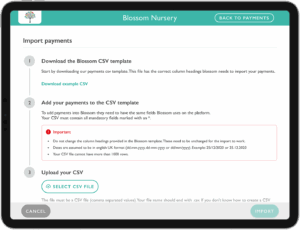
Access payments CSV imports
At Ovivio we know that every month, you receive hundreds of payments from multiple parents for their nursery fees. Uploading these manually eats into precious time that can be best spent elsewhere. With our new update, you can upload hundreds of payments in bulk, reducing your manual work by hours! And you are able to edit the data in the spreadsheet once imported.
Note:
Should you get two payments for the same child (but from different parents) the system won’t ignore it. Simply confirm and accept the duplication, and continue keeping accurate finances.
Ovivio provides you with detailed payment import CSVs which include data such as payment date and payment method. Additionally, users have been given flexibility to import CSVs at either a nursery and/or individual child level.
Plus, during this importing process, Ovivio can now send bulk receipts to your parents at the click of a button. Keeping your financial records accurate and parent communication strong!
Add custom payment types
Ovivio users are now able to edit payment methods added to the system to keep even more accurate records. You can also add your own custom payment methods to make it suit your nursery’s individual needs.
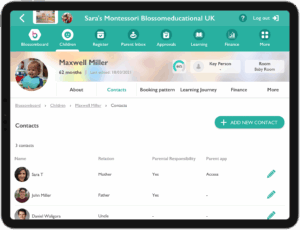
New Child contact page
With our freshly updated child contact list there is no more scrolling down to find the contact you require! At a glance, you can obtain all child contact details. Such as:
- Name of contact for individual children (find parents quickly)
- Check parent authority
- See Parent App access (know who is seeing what)
Curious for an Ovivio Tour?
If you’d like to learn more about how Ovivio can help manage your Early Years setting, why not book your 1-2-1 demo?