
















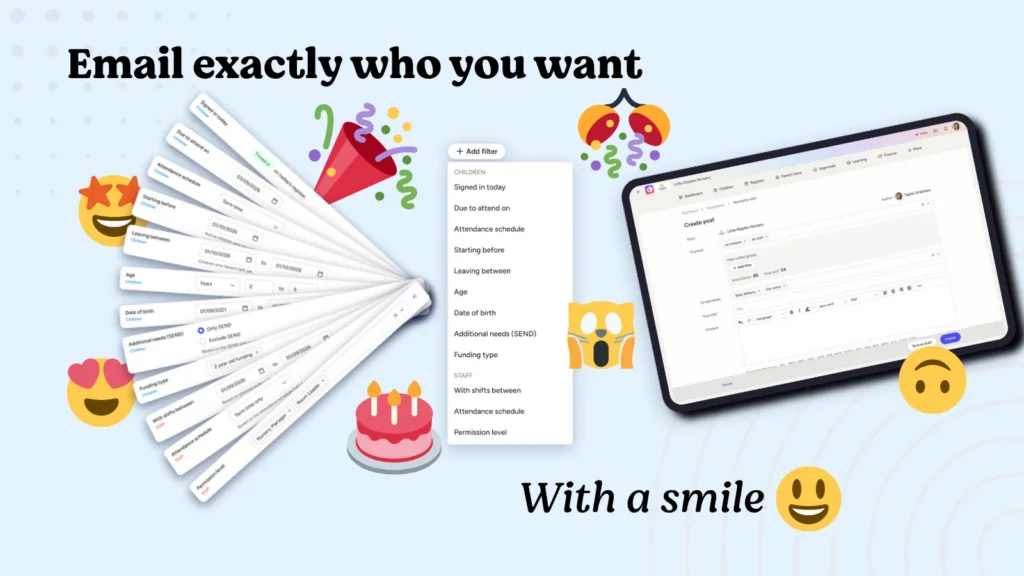
Every nursery manager knows the feeling.
You need to remind parents about tomorrow’s trip to the playpark, but only the children who are actually attending. Or you want to tell the preschool families about a change to term dates.
Sending a message to everyone is easy. Sending it to the right people has always taken a bit more effort.
That’s exactly why we’ve updated Ovivio’s ‘News’ [newsletters] feature. Based on your feedback, newsletters can now be sent to far more discrete groups, so your message reaches only the people who need it.
#NewFilters
Newsletter targeting has always supported the basics. You can send to all children, all staff, or a specific room such as Baby, Toddler or Pre-School. You can also pick individual children and staff, and that separate field is unaffected by this change.
What’s new for parent communication
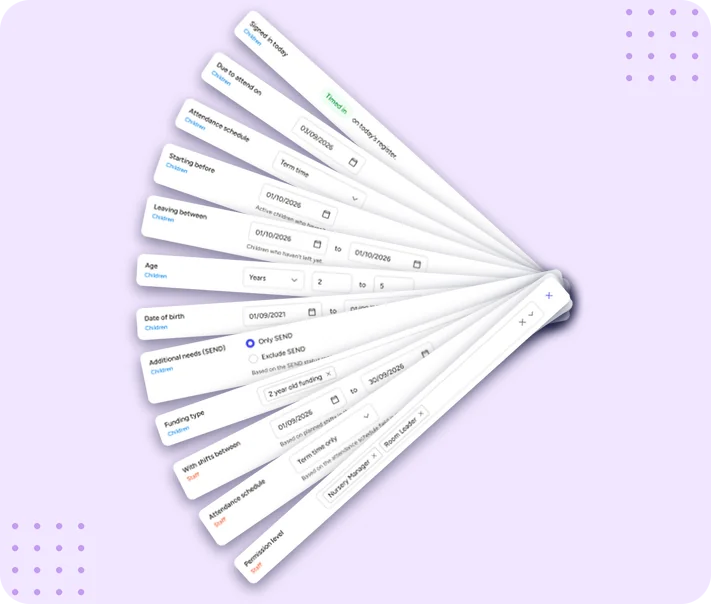 This is where things get interesting. You can now filter your parent audience by the children:
- Signed in today: perfect for same-day updates like a change to pick-up arrangements
- Attending on specific days: essential for activities, events and trips
- Attendance schedule: Term Time Only, All Year Round, or any other schedule your nursery uses
- New starters: children who haven’t started yet but are due to begin before your selected day
- School leavers: children who haven’t left yet but are leaving between a start and end date
- Age group and date of birth: including ages between x and y
- SEND children: for targeted, sensitive communication
- Funding groups: so families on specific funding types get the information relevant to them
What’s new for staff
Staff communication gets the same treatment. You can now filter by:
- Attendance schedule: Term Time Only or All Year Round
- Staff with schedules between certain dates: taken straight from your rota, so you can reach only the team working next Tuesday
- Staff permission level: ideal for contacting all managers in one go
A few real-world examples
Trip day reminder: Filter by children attending on the day of the trip and send packing instructions to exactly those families. No more confused messages to parents whose child isn’t going.
Welcoming new families: Select new starters due to begin before a certain date and send them a “what to bring on your first day” guide.
Funding deadlines: Filter by funding group and let families know about paperwork or deadline changes without cluttering everyone else’s inbox.
Leaving celebrations: Target school leavers within a date range to share graduation details.
And now, emojis
Newsletters can now contain emojis too! It might seem like a small thing, but a well-placed emoji can make a message feel warmer and more personal. A 😊 on a welcome note or a 🎉 on an event announcement helps your nursery’s personality come through, and it makes your updates more likely to be noticed in a busy inbox.
Why it matters
Better targeting isn’t just convenient. It means parents get fewer irrelevant messages, which means they’re more likely to read the ones that matter. It means less time spent manually selecting recipients, and fewer mistakes along the way. And it means your communication feels more considered and professional.
You can see the new filters on any live nursery by heading to the newsletters section and creating a new newsletter.
Email exactly who you want, without having to select them individually.
And wow them with a 😊
Book an Ovivio demo: