












In September new guidance came into effect for early years settings, setting out how babies and young children need to be cared for in the setting. We even wrote a blog about it.
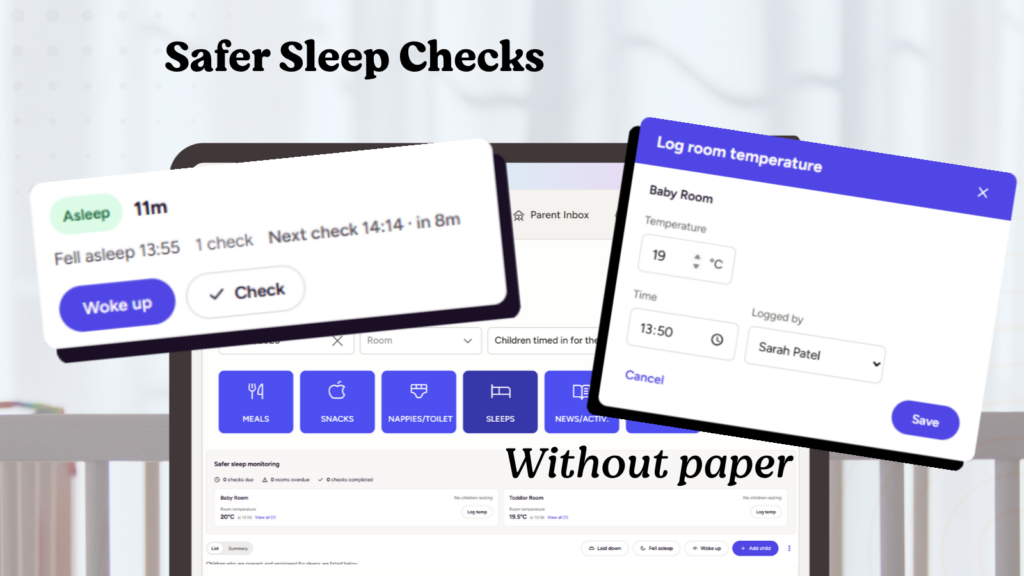
Part of compliance with the safer sleep guidance includes logging the temperature and keeping it between 16-20oC , and that children ‘must be checked frequently’. You probably have paper charts for these checks and temperatures. And now, you can put it all in Ovivio, making compliance a snip and life a little easier to boot.
What’s included in this safer sleep update:
- New ‘laid down’ status and timestamp to accurately reflect reality and your existing paper charts
- Bulk actions to mark children falling asleep together – as they often do
- Sleep check timer to prompt but not police – it’s your sleep policy after all
- Additional temperature log and staff audit trail – which you can export as csv
- Edit on the day but not after – tighter safeguarding, with manager edits still available
- No change to the parent app experience, so parents aren’t bombarded with updates
- View as a list or summary table, with sleep check gaps calculated automatically
We’ve had a sleep log for a long time, and if we’re being honest, so have our competitors. So we’ve worked to make them better, and finally put those paper sleep charts to bed.
You’re meant to log the temperature? Now you can log the temperature. Have a space in your chart for when you laid them down, prior to their falling asleep? Now you can mark when you laid them down before they fell asleep.
We took the government’s recommendations. We took a look at some sleep charts. And put it all in Ovivio and available to all users. Starting with those regular sleep checks you’re encouraged to perform, and an interval you can set in your platform’s settings according to your own sleep policy.
To keep your audit trail accurate, but also to allow for the realities of a check being performed but not logged, those checks can be edited on the day they were performed, but after that will need a manager’s approval to do so.
Parents will still get the same experience they’re used to – they wouldn’t normally be privy to your paper sleep charts after all – so the number of updates and notifications they receive will stay focussed on the things that matter. They know when they slept, and for how long, and that’s the end of it before moving onto those golden moments and other highlights from their child’s day.
Want to run a check of how your sleep checks are being performed? You can view a summary table that includes an automatic sleep check interval calculation, or export the lot to see the data for yourself.
Don’t have Ovivio? Want to see sleep checks and more? Book a demo!
Book an Ovivio demo: